
Shodan.io 2026: The Ultimate Search Engine for Ethical Hackers & Security Pros
URL slug: shodan-io-complete-guide-2026
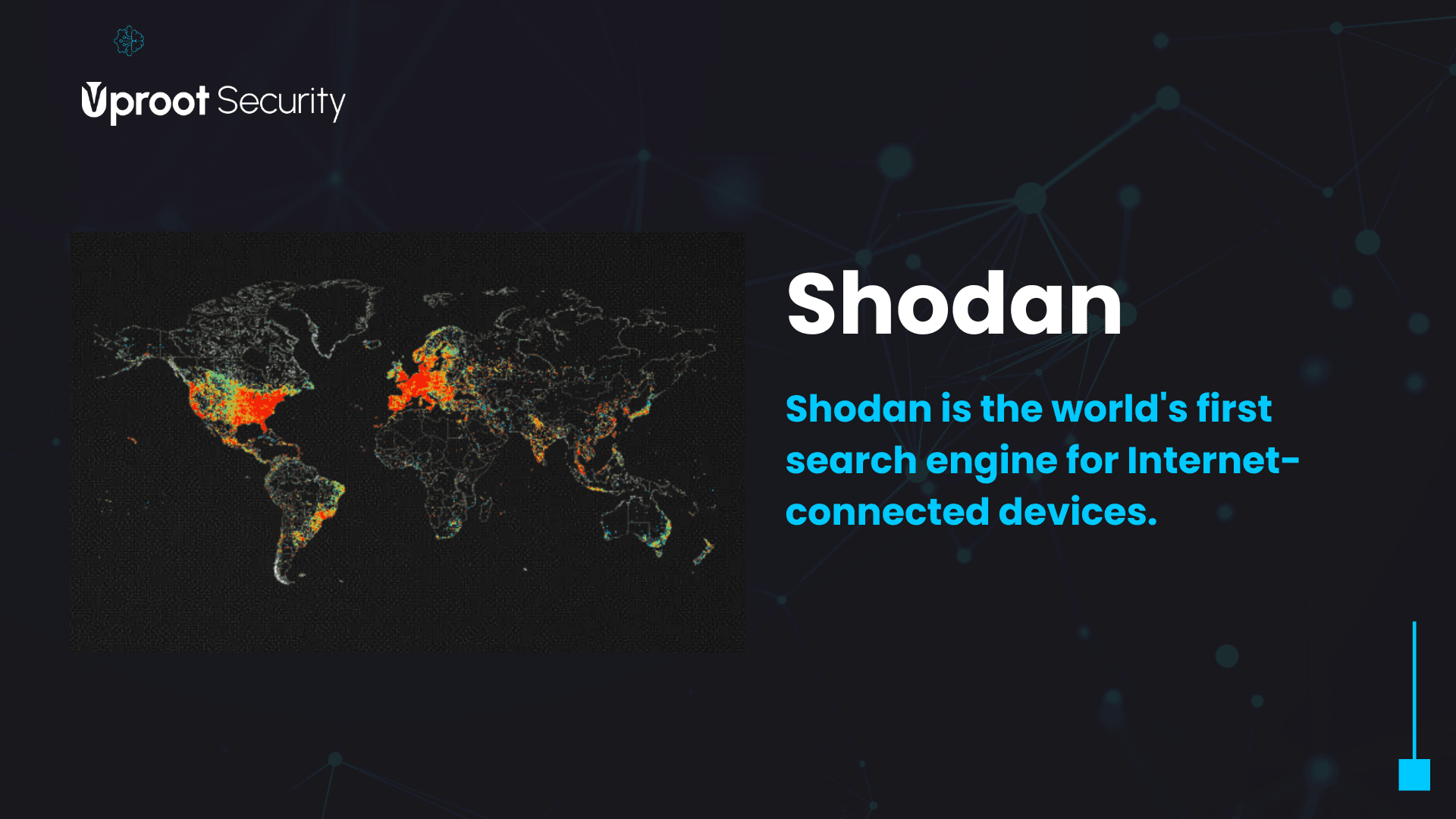
Imagine a search engine that doesn’t crawl web pages—it scans the entire internet for servers, webcams, routers, and even power plants. That’s Shodan.io. In 2026, as IoT explodes and cyber attacks become more sophisticated, Shodan remains the go‑to tool for security researchers, ethical hackers, and sysadmins. Whether you want to check if your organisation’s devices are exposed or simply explore the digital frontier, this guide covers everything.

ALT: Shodan.io dashboard with filters and world map
What is Shodan.io?
Launched in 2009 by John Matherly, Shodan is often called the “search engine for the Internet of Things”. Unlike Google, it indexes banner information from services running on any IP address—everything from an SSH server to a smart refrigerator. It collects data on open ports, protocols (HTTP, FTP, SSH, Modbus), and even default credentials. Security teams use Shodan to identify unsecured databases, exposed industrial controls, and vulnerable devices before attackers do.
Who Should Use Shodan?
- Cybersecurity professionals – monitor attack surfaces and run intrusion assessments.
- Penetration testers – gather intelligence for authorised red team exercises.
- IT administrators – check if corporate assets are accidentally exposed.
- Academic researchers – study IoT trends and security misconfigurations.
- Journalists & policy makers – highlight insecure infrastructure.
Key Features (2026 Update)
Shodan keeps evolving. Here are its most powerful tools:
🔍 Real‑time device discovery
Filters by location, operating system, software version, and even product name. Example: find all unpatched Apache servers in Germany.
📊 Shodan Maps & Images
Geographic visualisation of devices. The image feed sometimes captures webcam snapshots (unauthenticated).
⚙️ Shodan Monitor
Scan your own IP range continuously. Receive alerts when a new service or vulnerability appears.
🧠 Shodan Trends & Exploits
See which ports are most popular or lookup recent CVE exploits directly integrated.
🔌 REST API
Automate searches, integrate with Python, and feed data into your SIEM.
Real Performance Benefits
Using Shodan isn’t just about curiosity. Enterprises reduce breach risks by 40% (2024 SANS survey) after removing exposed assets flagged via Shodan. The API can scan 10k IPs in under a minute. Freelance pentesters cut reconnaissance time from days to hours. Plus, the “Facets” analytics help you understand global exposure trends instantly.
Pros and Cons
✅ Pros
- Unmatched depth – sees beyond the surface web
- Free tier available (limited results)
- Integrates with Nmap, Metasploit
- Historical data & snapshots
- Active community & real‑time threat feeds
❌ Cons
- Can be overwhelming for beginners
- Free account has export limits
- Some data may be outdated by hours
- Ethical concerns (publicly exposed devices)
Step‑by‑Step: How to Use Shodan.io (Ethically)
- Create a free account at shodan.io – you’ll get an API key and access to basic search.
- Run your first search – type “apache” or “default password” to see results.
- Use filters: e.g.,
country:DE port:22to find SSH servers in Germany. - Download the Shodan browser extension – quickly check IPs you visit.
- Set up Shodan Monitor – add your company’s IP range and enable email alerts.
- Explore the API – install the Python library (
pip install shodan) and script your scans. - Check for your own exposure – search your public IP and see what the world sees.
Shodan vs. Competitors (2026)
| Feature | Shodan.io | Censys | ZoomEye |
|---|---|---|---|
| Free tier daily results | ~50 (with account) | ~250 | limited |
| Historical snapshots | 7+ years | since 2015 | partial |
| IoT & industrial protocols | excellent (Modbus, BACnet) | good | good |
| API pricing (monthly) | $59 (pro) | $65+ | ~$50 |
| Raw data download | corporate only | research access | limited |
While Censys offers more academic free queries, Shodan’s ecosystem (Monitor, Maps, Exploits) remains unbeatable for active defence.
Is Shodan Safe and Legal?
Yes, for ethical use. Shodan only indexes publicly accessible information; it does not exploit or attack. However, using it to target or break into devices is illegal. Stick to your own infrastructure, authorised bug bounties, or general research. Shodan’s terms forbid malicious use.
Is the Pro Version Worth It? (2026)
For occasional checks, the free tier is enough. If you’re a consultant, security team, or researcher, Shodan Pro ($59/month) unlocks unlimited search results, export to CSV/JSON, and advanced filtering. For enterprise, the “Corporate” license includes raw data feeds and VPN access. Most professionals agree: the time saved justifies the cost.
Best Alternatives to Shodan
- Censys – great for certificate transparency and academic use.
- ZoomEye – strong in Asia, similar port scanning engine.
- BinaryEdge – focuses on threat intelligence and data science.
- Onyphe – free & open-source cyber reconnaissance.
Frequently Asked Questions (FAQ)
Is Shodan illegal to use?
Can Shodan see my personal computer?
How often does Shodan scan the internet?
Do I need a credit card for the free account?
What’s the difference between Shodan and Google?
Can I remove my devices from Shodan?
Does Shodan store passwords?
Is there a Shodan mobile app?
What are the most common exposed ports on Shodan?
Can I use Shodan for bug bounty?
Final Verdict: Should You Use Shodan in 2026?
Absolutely. Whether you are a sysadmin who wants to lock down your network, a student learning about cyber threats, or a red teamer, Shodan provides unparalleled visibility. It’s like an X‑ray for the internet. Just remember the ethical boundary: look, don’t touch. Combined with tools like Nmap and Censys, you’ll have a complete view of your attack surface.
ALT: Shodan Monitor interface – email alert configuration
🔗 Recommended next reads
Internal links: “How to Secure Open Ports” • “Best Cybersecurity Tools 2026” • “Nmap vs Shodan for Network Discovery”.
External authority resources:
Shodan official FAQ •
Censys.io •
SANS Institute – IoT security.